Compatible with Chrome and Edge
Instruction Guide
We have a simple tutorial guide which explains the features of the software extension and what each button inside the extension does. Read our tutorial and welcome guide on how to use the extension to the fullest. Use all the features of this browser software.
If you are interested in other web extensions to install, you might wish to check out the Microsoft Bing Search with Rewards extension.
Microsoft Bing Search with Rewards Extension
It allows you to complete daily offers to get points.
Track the number of points you have currently and the rewards you can redeem with these points.
The ways to get points & get rewarded is search with Bing, browse with Microsoft Edge and shop at the Microsoft and Windows stores to earn rewards.
Sponsored Link:
Other useful extensions
Another extension which would be useful to install is the iCloud bookmarks extension.
It allows to keep your Chrome bookmarks on Windows synced up with the Safari bookmarks on your iPhone, iPad, and Mac.
iCloud will store your website bookmarks so it is accessible even on your iPhone and Mac.
Try these other two extensions and see if it will boost your daily productivity.
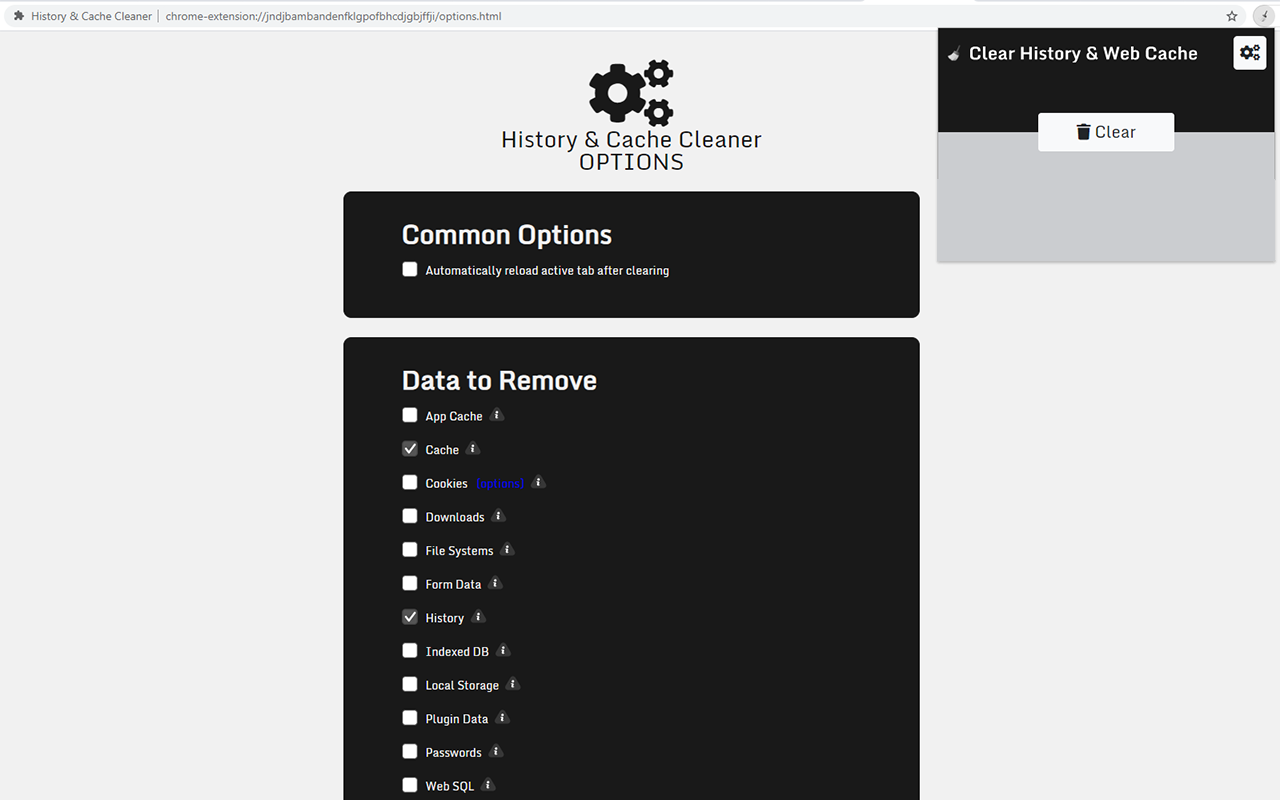
- Instant removal with one click
- Clear browser History
- Clear download history
- Clear cache
- Delete cookies and other site and plugin data
- Clear saved passwords
- Clear saved form data
- Ability to select a time period
Features:
What is the browser cache?
The Browser cache is a temporary storage location where a browser stores the web pages you visit and files like images, scripts, or videos that a website uses. When you return to a previously visited site using the same browser, your browser will use its cache to quickly retrieve content from that website.
Our software allows you clear the cache to reduce the amount of space it takes up on your hard drive.
You can also choose to delete the browser history for certain time periods. When you clear the cache/browser history, it helps make your website surfing experience less laggy and faster.
The benefits of clearing your cache are:
Clearing your browser's cache removes the temporary files that build up when you visit websites. Clearing your browser's cache can help improve your Internet connection's performance by reducing the amount of data you have to download from websites.
Clearing your browser's cache helps keep things running smoothly by freeing up storage space on your computer.
You may also want to clear your cookies, history and passwords if you're worried about privacy or security issues.
If you're using a public computer, it's a good idea to clear any personal information (websites visited, passwords) before you leave the computer.
Use this free chrome browser extension to clear your cache and browser history.
Tutorial:
- Install the Extension
-
After installing the extension, click on the icon
 on the toolbar.
Sponsored Link: